

Whether you’ve decided to build your PC or buy a pre-built one, understanding CPU specs matters.
Choosing a CPU that meets your needs can quickly become overwhelming, especially if you’re unfamiliar with CPU specs and PC tech jargon.
I’ll assume you’re here because you have questions and want to make the right choice.
You’ll find all this information familiar if you already know your way around CPU tech.
However, if you are not sure what to look for in a CPU, don’t worry; we’re here to help.
I’ve been a tech geek for decades and will do my best to break it down into “byte-sized” pieces. Sorry, just a little nerd humor!
Let’s review the key features and considerations for finding a CPU that meets all your needs.
Key Takeaways:
Knowing what to look for will help you choose the right CPU, whether you’re building a PC or buying a pre-built one.
Understanding CPU Specs (the basics)
- Cores and threads determine a CPU’s ability to handle multiple tasks simultaneously.
- Clock speed or clock frequency measures how fast a CPU can process data. Higher clock frequencies mean more tasks per second.
- CPU cache is short-term memory for quick data access.
- TDP is the total heat generated by the CPU, which determines cooling requirements.
- Integrated graphics are built into the CPU and offer basic graphics capabilities.
Choosing the Right CPU
- Different tasks require different CPU specifications.
- Gaming typically requires a CPU with a high core count, a high thread count and a high clock speed.
- Content creation benefits from multiple cores, a large cache, and a high clock speed.
- Verify compatibility between your CPU and motherboard.
- A mid-range CPU can handle general office work.
- Consider future needs and budget when choosing a CPU.
- Research and compare CPU models using benchmarks and reviews.
Additional Tips
- Balance CPU performance with price
- Make sure it’s compatible with the motherboard CPU socket
- Consider overclocking capabilities if needed. Today’s CPUs feature high clock speeds, advanced core architectures, and efficient caching, enhancing overall performance.
- Choose a proper CPU Cooler designed to handle the higher wattage found in modern CPUs.
- Repurpose older PCs for different tasks.
As you can see, there are many things to consider when choosing a CPU. However, it’s easier than you think.
There is no right or wrong choice here, and by the end of this article, you’ll better understand basic CPU specs.
Understanding CPU Specifications
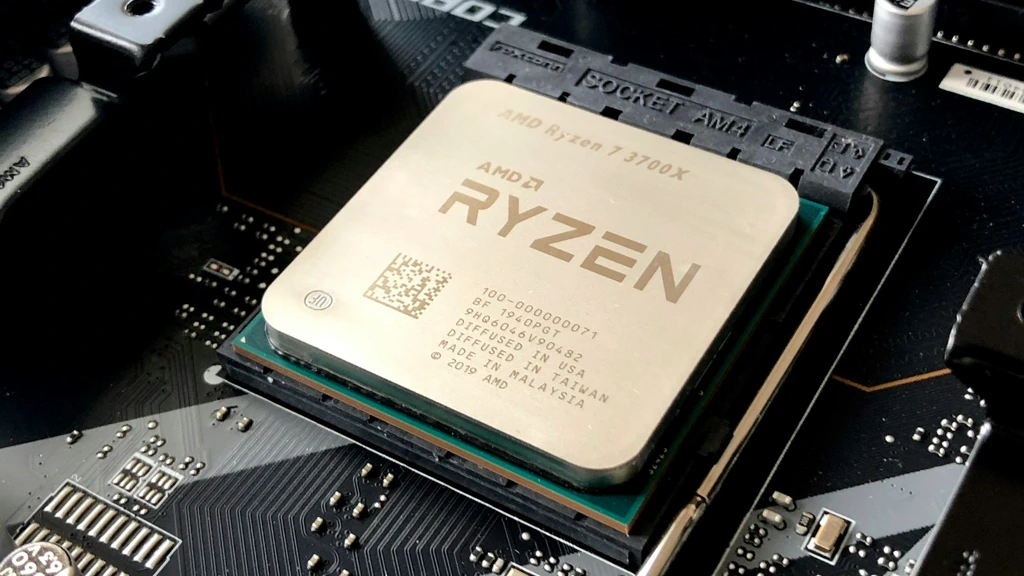
What is a Central Processing Unit (CPU)?
The Central Processing Unit (CPU) is the “brain” of your computer. Just like your brain processes information and makes decisions, the CPU executes instructions and manages data requests in your computer.
It handles everything from running applications to managing data communication between different hardware components.
Essentially, the CPU executes instructions from computer programs, making it the central component of your PC. Hence, the term Central Processing Unit.
What do Cores and Threads mean?
Think of CPU cores and threads as individual roadways with multiple lanes. The more cores (roadways) and threads (lanes) a CPU has, the more data it can handle at the same time.
If you love gaming while streaming or often run multiple apps, you’ll want a CPU with plenty of cores and threads to keep things running smoothly.
For example, on a roadway with many lanes, you’ll get a traffic jam if you have too many cars trying to pass. The cores and threads of a CPU are just like that.
If you have too many apps open or one app needs more lanes than the CPU has, you get a data traffic jam that bottlenecks performance.
In PC geek speak, this is called a “CPU Bottleneck”.
What is Clock Speed?
Clock speed, measured in GHz, tells you how fast your CPU can process data. This speed refers to the number of clock cycles a processor completes per second, which directly affects how many instructions it can execute per second.
Just like the “Roadway” analogy we used for cores, think of “Clock Speed” as the fastest “Speed Limit” your CPU cores can run at. Higher clock speeds indicate greater performance potential, especially for tasks requiring quick responsiveness, such as gaming and single-threaded applications like audio editing.
Like a “Speed Limit,” the higher the CPU clock speed, the faster your CPU can handle tasks and make room for the next one.
This speed is crucial for gaming and for performance-intensive programs such as video editors and graphic design applications.
What is CPU Cache, and how does it work?
CPU cache is the quick-access, short-term memory on your CPU. The larger the cache, the more data your CPU can store temporarily for quick retrieval.
This short-term memory stores frequently accessed data for faster retrieval.
When you run applications or perform tasks, your CPU first checks the cache to see whether the data it needs is already there.
If it is, the CPU can access that information almost instantly, making cached data the fastest way to retrieve data.
If not, it must access the Random Access Memory (RAM), which takes longer. As with anything, more steps take more time.
Think of it like this. You’re “that” person who keeps a week’s worth of files stacked all over your desk. Your boss comes in and asks to see yesterday’s meeting notes.
Since you used these meeting notes recently, you can quickly grab them from your desk and hand them to your boss.
Think of your desk as the CPU cache.
However, your boss returns later and wants to see last month’s financial reports.
Since you have already filed them away, you need to get them from your filing cabinet before you can hand them to your boss.
Think of your file cabinet as your computer’s Memory (RAM).
A larger CPU cache (or desk) means you can keep more frequently accessed data (Work Files) readily available, so everything runs more efficiently.
This quick access helps speed up repetitive tasks and makes your computer more responsive overall.
What does TDP (Thermal Design Power) mean?
TDP indicates the heat your CPU generates and is the baseline for cooling requirements.
If you plan to push your CPU to its limits by overclocking, use this TDP value to choose a CPU cooler rated to keep it cool.
All CPUs perform best when kept as cool as possible. Typically, when a CPU temperature exceeds 100 degrees Celsius, it’ll thermal throttle. This overheating shortens its lifespan and reduces performance.
With the high-performance CPUs available today, many enthusiasts undervolt their systems to improve performance by reducing power draw and heat. This reduced power draw helps keep your PC cooler overall. This is especially true for CPUs used in gaming PCs.
What does Integrated Graphics mean?
Integrated graphics are built into the CPU. It’s like having a CPU and a GPU all in one.
This combination means you won’t need a separate graphics card (GPU) for tasks like running business apps, browsing the internet, or watching videos.
However, if you’re a serious gamer, a professional video editor, or a graphic designer, a dedicated graphics card (GPU) is recommended for demanding games and graphic design applications.
Recently, AMD’s latest CPUs with integrated graphics have been fast approaching, and in some cases exceeding, the performance of low- to mid-tier GPUs.
These AMD CPUs are referred to as APUs (Accelerated Processing Units) and are typically found in laptop PCs.
CPU Architecture Overview
CPU architecture is how the processor is designed and how the electronic components are laid out on the processor chip die.
Think of it as the blueprint determining how a CPU is built and operates. Each generation of CPUs may feature a new architecture or build upon the previous one, leading to improvements in performance and efficiency.
If you’ve taken a deep dive into modern CPU specs, you’ve likely come across the nanometer process as a standard architectural spec.
This process determines the smallest features that can be etched into the silicon chip that makes up a CPU’s cores. The smaller the number, the denser and smaller the chip.
AMD and Intel, the two major CPU manufacturers, use proprietary CPU architectures. For instance, AMD’s 9000 series processors are based on the Zen5 architecture.
Intel’s Core Ultra series processors are built on the “Arrow Lake” CPU architecture.
Understanding different processor architectures can help you compare different CPUs and choose the best upgrade path.
In my experience, AMD does a better job of providing long-term support for its architectures for upgradability. Far better than the recent Intel Core Ultra series, which uses an LGA 1851 socket that Intel immediately abandoned. Basically, no CPU upgrade path beyond a simple CPU refresh, as they did with the Core Ultra Plus.
I recently built a new PC with an “Intel Core Ultra 7 265” because it was much cheaper than other options. However, had I known Intel was basically going to abandon the LGA 1851 socket and only refresh the Ultra 5 and Ultra 7 variants, I would have spent more on an AMD AM5 Motherboard and CPU!
How to Identify Your CPU Needs
 What to look for in a gaming CPU?
If you’re a gamer, CPU cores, threads, and clock speed are most important. With a few exceptions, like Microsoft Flight Simulator 2020, it’s coded to use only one CPU core. For this SIM application, the higher the clock speed, the better.
When I built my flight sim rig, I soon discovered this difference while optimizing settings in Microsoft Flight Simulator 2020 (MSFS 2020).
However, unlike MSFS 2020, most top-tier AAA games are multithreaded. This means they can take advantage of multiple CPU cores at once.
Higher clock speeds are crucial for gaming performance, improving program load times and responsiveness, especially in single-threaded games.
This exception aside, for gaming, it’s best to buy a CPU that supports higher clock speed and multiple cores for the best performance.
As we’ve mentioned before, check out CPU gaming benchmarks from several reviewers to find the CPU that works best for the games you play.
What CPU do I need as a content creator?
As with gamers, content creators also need a powerful CPU to handle multiple tasks under the highest workloads.
A CPU with multiple cores and a large cache will help speed up rendering and multitasking in apps like video editing.
When comparing an AMD processor to an Intel processor for content creation tasks, it’s important to consider factors such as core count and multithreading capabilities, as these can significantly affect performance.
Content creators should look for CPU benchmark reviews using programs like “Blender” or “Cinebench,” as these benchmarking apps best reflect the CPU demands of graphic design and video editing applications.
How powerful a CPU do I need for general office work?
Unlike gaming and graphics work, if your primary use is office applications and web browsing, you don’t need the latest and greatest CPU.
A mid-range CPU with a decent clock speed will be more than sufficient. Here is where you can save a little money, as there are many entry to mid-level options for this type of use.
However, consider what CPUs your motherboard supports if you’re building a new PC.
If you start at the lower end, you will have room to upgrade later without replacing the motherboard.
We’ll talk more about Future-Proofing in the next section.
CPU Compatibility and Upgrades
 Should you spend more now to save later?
This is the old “Pay Now” or “Pay Later” discussion. It’s an important choice.
I tend to choose the best “Best Bang for Buck” option if I think it will meet my needs for at least a few years.
The longest I’ve ever kept a business-level PC was seven (7) years, with my Gaming Rigs upgraded about every five (5) years.
I confess that I use several PCs for business and general gaming, with two setups serving as specialty computers for my racing and flight-sim hobbies.
However, everyone’s needs are different. If your budget allows, you could spend more on a higher-end CPU now and not worry about upgrading for many years.
Otherwise, buy a lower-end or even an older-generation CPU to save money up front.
Just make sure it meets the recommended specifications for the apps you use or the games you play.
As I said before, consider the lower-end CPU supported by your motherboard so you have an easy upgrade option later.
Since I use many purpose-built PCs, I never buy the latest and greatest and often repurpose them for other uses when I need to upgrade or replace them.
How long before you’ll need a CPU upgrade?
The answer isn’t one-size-fits-all, but I’ll offer one anyway. Many will replace a PC every 3-5 years, depending on how they use it.
A shiny new high-end gaming PC will probably still support most of the latest games after five (5) years because, more often than not, only the graphics card (GPU) will need upgrading.
However, aside from the GPU, a five (5) year-old high-end gaming system can easily be repurposed into a business workstation, media center, or network-attached storage (NAS) system.
Also, with today’s Solid State Drives (SSDs), you can upgrade your old mechanical Hard Drive (HDD) and get a few more years out of an older PC.
These slow, mechanical hard drives were the “wrench in the works” that held back overall PC performance.
As SSD storage technology advances quickly, choosing a slightly higher-end CPU today can extend its usefulness even if it is not for its original use.
CPU Cooling and Overclocking
Keeping your CPU cool is important for optimal performance and to prevent damage. A CPU under heavy workload will generate heat due to increased power consumption.
With a good cooling system, you can quickly dissipate the heat, preventing overheating and thermal throttling.
Thermal throttling is when the core temperature exceeds a preset limit. Throttling typically occurs when temperatures reach 100 degrees Celsius.
A CPU’s Thermal Design Power (TDP) indicates the maximum power it consumes under load, which is necessary when selecting a power supply and CPU cooler. A processor with a higher TDP will require a more robust cooling option.
While most are OK with factory-default clock speeds, many enthusiasts will overclock their CPUs. Overclocking is increasing your CPU’s base clock speed beyond its factory settings to squeeze out more performance.
However, not all CPUs support this. To overclock, you’ll need a CPU with an unlocked multiplier and a motherboard that supports overclocking.
Intel desktop CPUs with a “K”, “KF”, or “KS” suffix support overclocking, as do AMD Ryzen laptop and desktop CPUs.
However, overclocking can increase the risk of overheating and shorten your CPU’s lifespan.
If you choose to do this, carefully monitor temperatures and install a cooling system rated to handle the extra heat generated.
Quick Tip: Some gamers find they can improve performance by undervolting their CPUs to boost power efficiency. This is mainly due to lower temperatures and fewer instances of thermal throttling.
Read Reviews and Benchmarks
 Always do your own research before making a decision. Start by reading tech reviews and comparing CPU performance benchmarks.
Many trusted technical sites and YouTube channels have tested multiple CPUs across different applications and workloads.
For example, if you’re a gamer, look for a CPU benchmark test that compares individual games. These detailed reviews will help you narrow down your choices.
Review benchmarks that reflect your intended use, such as gaming, content creation, or general office work.
It goes without saying, but I’ll say it anyway. If you’re looking for a CPU for demanding applications like gaming or graphics, it will run almost everything else just fine.
Choosing Your CPU
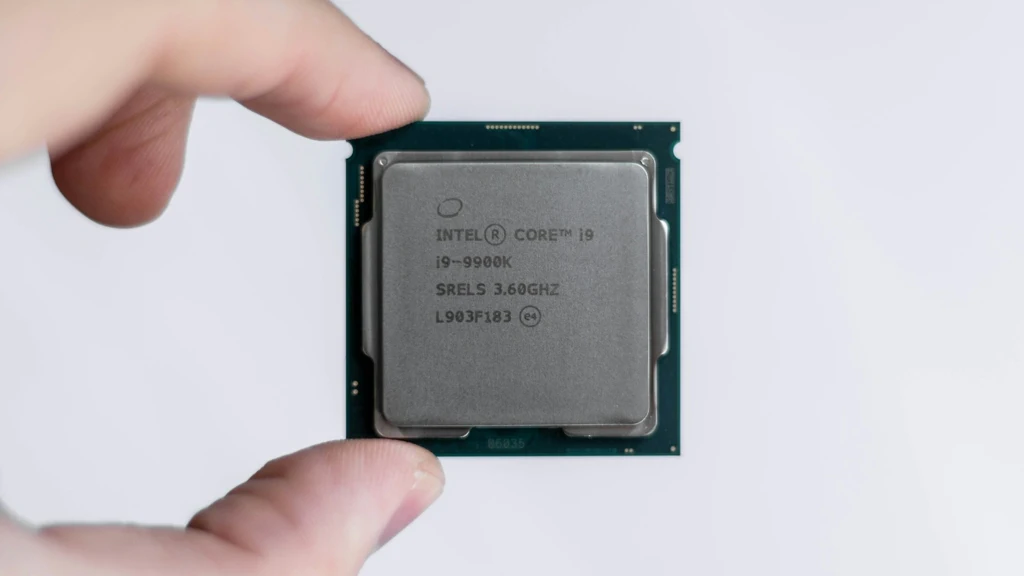
Modern CPUs have advanced features such as high gigahertz speeds, sophisticated core architectures, and efficient caching designs to boost overall performance.
Armed with this knowledge, it’s time to start narrowing down your CPU choices and revisit some reviews to make the final decision.
Make a short list of CPUs to choose from
Narrowing down your options helps you focus on the best choices for your needs and budget. It simplifies and streamlines the decision-making process.
Verify that the motherboard supports the CPU
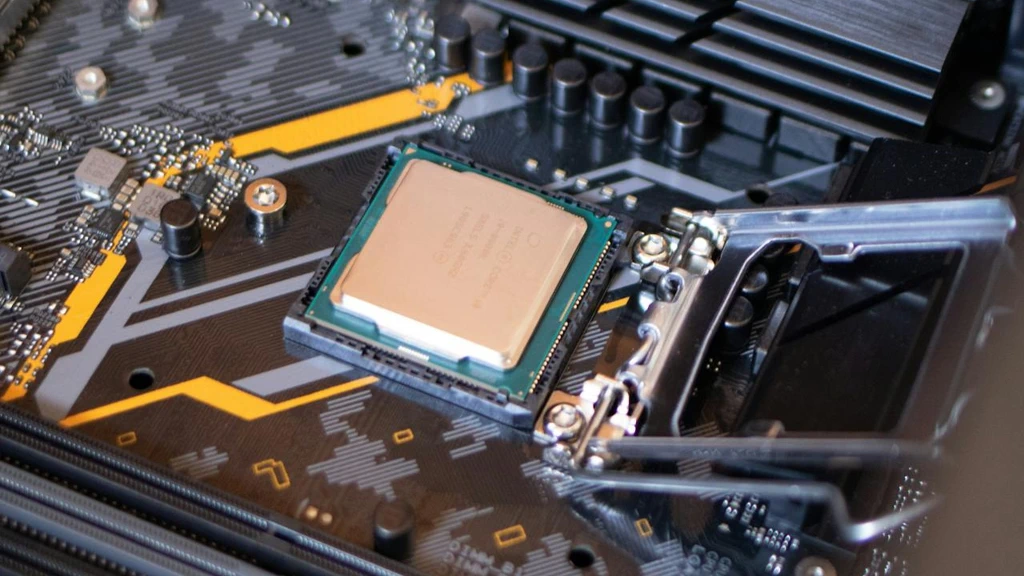
Compatibility is crucial. If you’re doing a DIY build or considering upgrading your current PC, make sure the CPU you choose is compatible with the motherboard.
This information is easy to confirm online to avoid any compatibility issues.
Compare performance benchmarks and user recommendations
As mentioned, performance benchmarks and user reviews will show how a CPU performs under various conditions.
Take advantage of these online resources to help you make an informed choice.
Does the CPU include all the features you’ll need?
Make sure the CPU you pick has all the features you need. If you’re building a basic business PC, you’ll want a CPU with integrated graphics and a motherboard that supports it, since you won’t need a graphics card (GPU).
However, if you’re building a gaming PC and plan to overclock your CPU, be sure it’s a version that supports it.
Some CPU clocks are locked and cannot be overclocked.
How often will you need to upgrade the CPU?
Consider your future needs and how long you expect the CPU to last before you need to upgrade.
As mentioned earlier, if your budget allows it and it’s a good value, consider choosing a slightly better CPU now so you won’t need to upgrade as often.
In some cases, older CPU models can cost as much as newer ones due to limited supply and high demand.
What are the Most Popular CPUs
If you filled a room full of CPU enthusiasts and asked them to agree on what CPUs are best for specific applications, you might end up in the middle of a “Fight Club!”
Testing a CPU across a wide range of applications and system configurations will always return slightly differing results.
Also, you have to consider the “Silicon Lottery,” where two CPUs of the same model will perform differently. However, these differences are usually minor and do not affect the outcome.
If you’re a gamer, the performance needs increase dramatically! Gamers should watch several CPU benchmark reviews of their favorite games and choose based on these results.
Here are some of the most popular CPUs from the top two manufacturers:
Most Popular AMD CPUs
- AMD Ryzen 9 9950X (Best High-End)
- AMD Ryzen 5 7600 (Best Mainstream)
- AMD Ryzen 7 5700X (Best Budget)
- AMD Ryzen 9 9950X3D (Best Gaming)
Most Popular Intel CPUs
- Intel Core Ultra 9 285K (Best High-End)
- Intel Core Ultra 7 265K (Best Mainstream)
- Intel Core i5-14600K (Best Budget)
- Intel Core i7-14700K (Best Gaming)
This list of Best CPU recommendations is from PC Magazine. This recommendation is just one of many reviews you should read.
To help you narrow down your choices, compare this review with others and make notes on the recommendations.
These notes will be a good starting point for creating the “Short List” of choices we mentioned earlier.
PC Builders Often Ask These Questions
Does a high core count matter if I only play games?
Not necessarily. While modern games are becoming better at using multiple cores, most still rely heavily on the performance of just a few primary cores. A CPU with 8 fast cores and high clock speeds often performs better in gaming than a 16-core CPU with slower individual cores. For gamers, the “sweet spot” is usually a mid-range CPU with high single-core efficiency rather than the highest core count available.
Is Intel’s LGA 1851 socket a good choice for future upgrades?
Currently, it is considered a risky choice for long-term upgradability. Unlike AMD’s AM5 platform, which has a committed roadmap for several years, Intel has a history of changing sockets every two generations. With rumors that the next major architecture may require a different socket, buying into LGA 1851 now likely means you will need a new motherboard when you upgrade your CPU.
What is “3D V-Cache” and why is it recommended for gaming?
3D V-Cache is a technology used by AMD to stack extra layers of L3 cache vertically on top of the processor. Because games constantly need to access data quickly, having this massive “desk space” right on the CPU allows it to process game instructions much faster than standard chips. This often results in significantly higher frame rates and smoother gameplay, even if clock speeds are slightly lower than those of non-V-Cache models.
Do I need a dedicated GPU if my CPU has integrated graphics?
Only if your tasks are limited to office work, web browsing, or light media consumption. While modern integrated graphics (and AMD’s APUs) have become much more powerful, they still lack the dedicated memory and processing power required for high-end gaming, professional video editing, or 3D rendering. For those demanding tasks, a dedicated graphics card is still essential.
Is the TDP rating enough to determine which cooler I should buy?
No, TDP (Thermal Design Power) is only a baseline. Modern CPUs often feature “boost” or “turbo” modes that allow them to draw significantly more power and generate much more heat than their rated TDP for extended periods. When choosing a cooler, you should look for one rated to handle the CPU’s “Maximum Turbo Power” or “Peak Draw” to prevent thermal throttling during heavy workloads.
Final Thoughts – Understanding CPU Specs
We covered the features of a CPU for handling computing tasks and powering everything from gaming to everyday business use.
Understanding CPU specs will help you choose a processor that meets your needs and budget.
Plus, taking the time to read reviews will only help you understand how individual applications perform with different CPUs.
Choosing a CPU doesn’t have to be overwhelming, and with a better understanding of the specifications, you’ll know what to look for.
The key is identifying your needs to find the perfect balance between CPU speed and price.
We’d love to know how you made your choice. Please comment and share below.



I’ve always found CPU specs a bit confusing, but your analogies (like the roadways and lanes for cores and threads) helped me make sense of the basics.
I’ve always found that relating technology to something day-to-day really helps break down some understanding barriers. I’m glad you found this article helpful!