
 You finally decided to buy or build that new PC. And just when you thought you had found the perfect CPU, someone came along and asked the CPU core count vs clock speed question.
So, how many cores do you need to run your favorite apps or games?
Let’s pull out the “Pocket Protector” and have a geek debate about which is better: CPU core count or clock speed.
I’ve been knee-deep in PCs when there were just a few options. The number of cores and clock speeds were not the considerations. Back then, the only consideration was whether to buy an IBM or an Apple computer.
There were other choices like Commodore or Tandy (Radio Shack), but that was mostly it.
Nowadays, it’s less about the brand and more about specs. As someone who’s been doing this for over 30 years, I still find it a bit overwhelming to make the best price choice for performance.
Key Takeaways: Core Count vs Clock Speed
When budgeting for a CPU, know why core counts and clock speeds matter.
- Core Counts vs. Clock Speeds
- When to Prioritize Clock Speed
- When to Prioritize Core Count
- Choosing the Best CPU
Understanding CPU Cores
A CPU core is like a worker in a factory, each responsible for a specific task. It executes instructions and performs calculations. When you have multiple cores, it’s like having several workers who can handle different tasks simultaneously.
Let’s say you’re running several applications on your computer, such as browsing the web, editing a document, and streaming music. With more CPU cores, each task can be assigned to a different core, allowing your system to run more smoothly.
What is Core Count?
Having a multi-core processor means your central processing unit (CPU) can handle more tasks at the same time, which is especially useful if you’re running multiple applications or resource-intensive applications for video editing software or Virtual Machines (VMs).
I’m running a local LLM, and while it’s a smaller, more manageable size for my hardware, prioritizing CPU core count is important for efficient AI training and inference, particularly when data is pulled from other sources to offset information-processing overhead.
However, sometimes more is not always better! Not every application can take full advantage of multiple CPU cores, so a higher core count doesn’t always mean faster performance.
The balance between CPU core count and clock speed can also affect overall performance and efficiency.
What is Clock Speed?
Clock speed is how fast a CPU can process instructions. It’s measured in gigahertz (GHz), with 1 GHz equal to 1 billion cycles per second.
The higher the clock speed, the more CPU operations can be performed per second.
Unlike core count, clock speed is often better the higher it is, but other factors matter, such as how you use your PC.
While core count is important, maintaining decent clock speeds can improve data processing speed and enable better handling of multiple tasks.
 When Do You Need a Higher CPU Clock Speed?
You’re working on a project and need your computer to be quick and responsive. That’s where the higher CPU clock speed comes in.
A higher clock speed enables the CPU to process tasks more quickly, resulting in faster load times and smoother application performance, especially in single-threaded applications like MSFS 2020, as I mentioned earlier.
It’s like the engine in your car. The more horsepower (HP) it has, the faster you can reach your destination. In your PC, the CPU is the engine. So, the higher the clock speed, the quicker each task gets completed.
While most modern apps and PC video games support multiple cores, there is often more demand for a single core (primary). Because of this, each single-core threaded process needs to run quickly to keep up with today’s powerful GPUs.
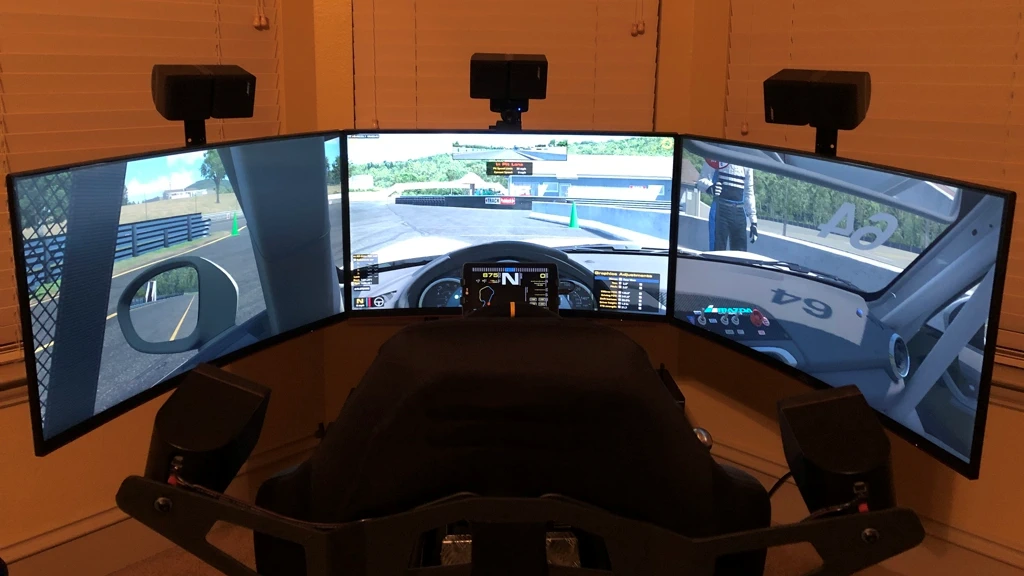
I’m into racing and flight simulators, so I need smooth graphics and quick response times. For these apps, higher clock speeds make a difference. I have two gaming PCs, each running a top-end Intel processor.
This is especially true for Microsoft Flight Simulator 2020, a single-core program that can only use one core, no matter how many cores my CPU supports. So, in this case, a higher clock speed is better.
Why Choose Higher Clock Speed?
There are several reasons why a higher CPU clock speed can make a big difference.
For instance, every millisecond counts if you’re into competitive video games. Games like “Counter-Strike” and “Cyberpunk 2077” benefit from higher clock speeds to ensure smooth and responsive gameplay.
It’s all about getting the “Headshot”!
Even everyday tasks like web browsing and running office applications will feel quicker with a higher clock speed.
Opening multiple tabs, streaming videos, or working with large spreadsheets and presentations benefit from a faster CPU clock speed.
In short, a higher CPU clock speed can provide a noticeable single-core performance improvement.
Multi-Core Processors
The relationship between core count and performance is like balancing the number of chefs in a kitchen. While more chefs can prepare more dishes simultaneously, having too many can lead to inefficiencies if the kitchen isn’t large enough or the tasks aren’t well-coordinated.
More cores can enhance multitasking and performance, but they don’t always guarantee better performance. Why is this? The available space on the CPU Die will limit the number of cores. Plus, not all applications are optimized to utilize multiple cores effectively.
For example, video rendering and data analytics often need more cores to handle large datasets efficiently. In contrast, gaming might prioritize higher clock speeds for smoother performance when paired with a high-end Graphics Card (GPU).
When Do CPU Cores Matter Most?
Think of CPU cores as multiple lanes on a highway. More cores mean more data can be processed at the same time.
This is important for multitasking or running software that utilizes multiple cores, such as video editing or complex rendering.
I used to do a lot of video editing back in the day, once it became affordable for regular folks like me.
My editor of choice was Adobe Premiere, and even though it was less demanding back then, it was still painfully slow on the PC hardware I could afford.
Quick Tip: If you run multiple virtual machines (VMs) like Hyper-V or VMware. Each is configured to use some of the physical cores available from your CPU.
Why Choose More Cores?
High core count matters in several situations and makes a noticeable difference in performance.
If you do video editing as I do, software like Adobe Premiere Pro and DaVinci Resolve will benefit from multiple cores to speed up video rendering and export.
Another example is 3D rendering and animation. Programs like Autodesk Maya or Blender will require quick calculations and real-time feedback.
A multi-core CPU will save you time working on complex scenes or high-resolution animations and reduce the frustration of waiting for objects to render.
Achieving an optimal balance between CPU cores and clock speeds to deliver superior performance is always a goal. However, each application has different requirements, so determine your best use case and choose a CPU that meets your software needs.
Now, let’s talk about something I tried to get into early in my career but never found my passion…” software development.”
If you’re a developer, having more cores means much shorter compile times, especially for large projects.
Application developers might also run multiple test environments or simulations. This use case is one in which a multi-core processor can handle these tasks simultaneously.
Also, if you work in a data center and handle large datasets or perform data analytics, tools like Apache Hadoop and Google Dataset Search are designed to spread data center workloads across multiple cores, improving data processing times.
While I’m sure the Data Scientist community is much smaller than the Creative Content one, both will benefit from a multi-core CPU.
Lastly, for gaming enthusiasts, not all games are optimized for multiple cores (i.e., MSFS 2020), and the trend toward multi-core optimization is now mostly mainstream.
Modern games with demanding graphics are typically built on gaming engines supporting multi-core CPUs.
This leads to better performance and less GPU bottlenecking. As the old saying goes, “Frames Win Games!”
A higher CPU core count means better performance and productivity in all these situations.
 Choosing the Best CPU for Your Needs
Choosing between clock speed and core count. It’s not a one-size-fits-all answer. If you can buy any top-end CPU, the choice is simple: You’ll have the best of both.
However, if you have a budget you want to stay within, then it really depends on what you value more. Do you need speed in single-thread tasks or the ability to juggle multiple tasks efficiently?
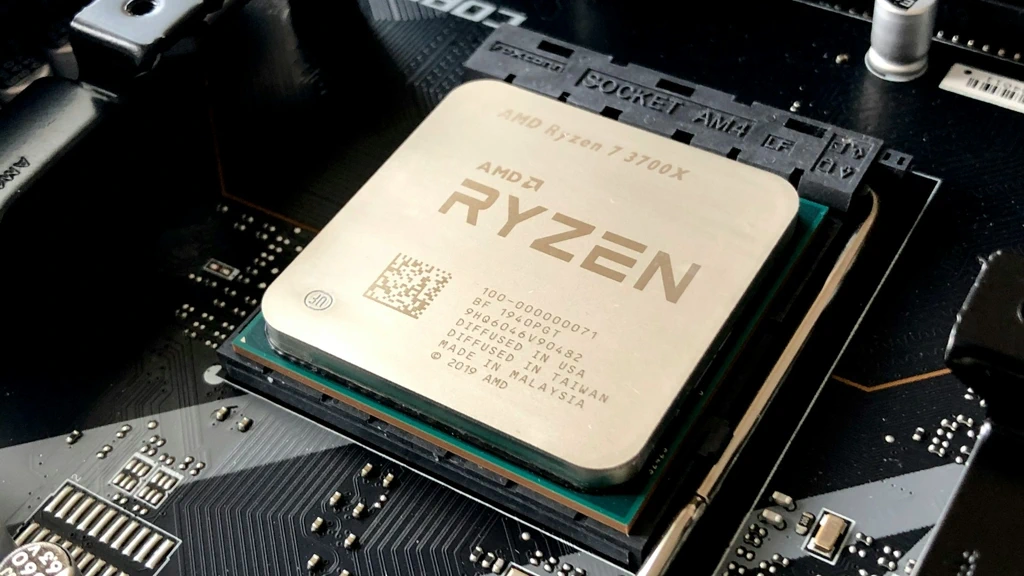
Understanding the difference between Intel Core processors and AMD Ryzen is important, too. Both offer specialized designs with different technologies tailored to processing needs, such as gaming vs. creative workloads.
Both core count and clock speed significantly affect application performance and efficiency, so prioritizing these factors is essential when configuring systems effectively.
To be clear, it’s not a question of whether a CPU can multitask—they all can. It’s a question of how efficiently they can do it.
Remember our analogy on the lanes of a highway. While a single-lane traffic jam moves more slowly, it eventually reaches its destination. While more lanes are often better, they come at a price.
When I had a more limited budget, I would balance price with performance. I would ask myself whether I could get by with a 2- or 4-core CPU for my work, or whether I should spend more now to save time later.
My decision?
I chose a balanced approach, considered the applications I used most, and went with a mid-range CPU spec regarding cores and clock speed.
Other Questions You Might Be Asking
Here are some other questions you might have. Some of these, like AMD’s 3D V-Cache, are articles in themselves and are ones I will probably cover soon.
Does having more cores improve my frame rate if I stream on the same PC?
While gaming alone typically relies on raw clock speed, streaming while gaming changes the math. Encoding video for platforms like Twitch or YouTube is a heavy, multi-threaded task. If your CPU doesn’t have enough cores to handle the game’s logic and the video encoding simultaneously, you’ll likely see “dropped frames” in your stream or stuttering in your gameplay. For a single-PC setup, a higher core count (8+) is usually prioritized over maximum clock speed.
Why are some lower-clocked CPUs (like AMD’s X3D series) better for gaming than faster ones?
In 2026, raw clock speed isn’t the only metric for speed. Technology like 3D V-Cache allows a CPU to store massive amounts of game data directly on the processor. This reduces the time the CPU spends waiting for data from your RAM. Even if the clock speed is lower, the CPU “finishes” tasks faster because it doesn’t have to pause as often, leading to much higher and more stable frame rates.
Is there a “diminishing return” point for core counts in 2026?
Yes. For pure gaming, the current sweet spot is 8 high-performance cores. While 12 or 16 cores are great for video editing or 3D rendering, most modern game engines are still designed to distribute their primary workload across 6 to 8 cores. Buying a 24-core CPU for gaming won’t necessarily give you more FPS than an 8-core CPU; in fact, the 8-core might be faster if it has higher individual clock speeds.
Can a high clock speed save me from a GPU bottleneck?
Not entirely. If you are playing at 4K resolution, the workload shifts almost entirely to your Graphics Card (GPU). In this scenario, a super-fast CPU with high clock speeds won’t improve your FPS much because the CPU is already “waiting” on the GPU to finish rendering the frame. High clock speeds are most effective at 1080p or 1440p, where the GPU is fast enough that the CPU becomes the limiting factor in how many frames per second you can hit.
Final Thoughts on Core Count vs Clock Speed
If you can afford a high-end CPU, choose one that rates best for the type of work (or play) you use your PC for. If money is no object, then consider one of the top-end AMD Ryzen 9 X3D models. Early reviews report that it handles almost every type of workload exceptionally well!
However, if you have a budget like mine, you must plan carefully and spend wisely. Maybe a less expensive 6-core CPU is enough for your needs.
The choice between CPU core count and clock speed depends on your personal needs and what you plan to do with your computer.
However, more power consumption and heat come with more processing power and faster clock speeds. So, there are some trade-offs.
Whether you’re a PC gamer, have 15 browser windows open at once, or want a fast, “no-waiting” PC, make your choice based on your use and budget.
So, what CPU did you choose, and why did you choose it? Leave a comment below to help others who are still deciding.



My company was selling off old computers and I bought one for my kids. It’s an old Dell but seems to run pretty good. I put a older graphics card in it (one that would fit) and it seems to play there games well. I was afraid it would be too old for playing games.
Surprisingly, some of those old office PC’s recycle into pretty decent gaming computers. If the GPU you installed pairs well with the CPU, you may have found a sweet spot for your kids’ games. Basically, if they’re happy…everyone is happy! 😉