 Choose a PC power supply based on your PC build’s power draw, efficiency rating, and budget. For most mid-range builds, an 80 Plus Gold-certified PSU between 650W and 850W delivers the best balance of performance, reliability, and value.
Building the Ultimate PC
If you’re looking to build a high-end system with an Nvidia RTX 5090 or AMD RX 7900 XTX-class GPU, you should target 1000W or more with at least 80 Plus Gold certification. Personally, I recommend Platinum or Titanium if it’s within your budget. Some will say… “What a waste of money!” and that may be true, but I have used Gold and Platinum PSUs for decades, and the only ones I’ve ever had to replace were the Gold-rated units.
I’m not saying Gold-rated units can’t keep up, but if you can afford a top-tier GPU, you should pair it with a top-tier power supply.
A surprising number of PC builders overlook the importance of the power supply. Sadly, it’s the most underrated component. Many builders focus on GPU selection, CPU benchmarks, and RAM timings, only to then throw in some no-name 600W piece of junk PSU and call it a day. What a mistake! A cheap or underpowered PSU won’t cut it and can take out every component connected to it “when” something goes wrong!
Today’s PSU choices seem endless. Gone are the days of the standard AT power supply and its mustard and ketchup-colored cables with Molex connections! I’m old enough to remember those days!
The current ATX 3.1 and PCIe 5.1 power specifications have stirred the pot, rendering many previously excellent PSUs obsolete if you’re installing a flagship GPU.
Let’s cut through some of the noise. Every model recommended here has been evaluated based on published test results, technical specifications, real-world use, and my personal experience with a few of them.
Whether you’re building a compact mini-ITX rig or a full-blown liquid-cooled gaming monster, there are a few right choices in a PSU for your build—and several wrong ones.
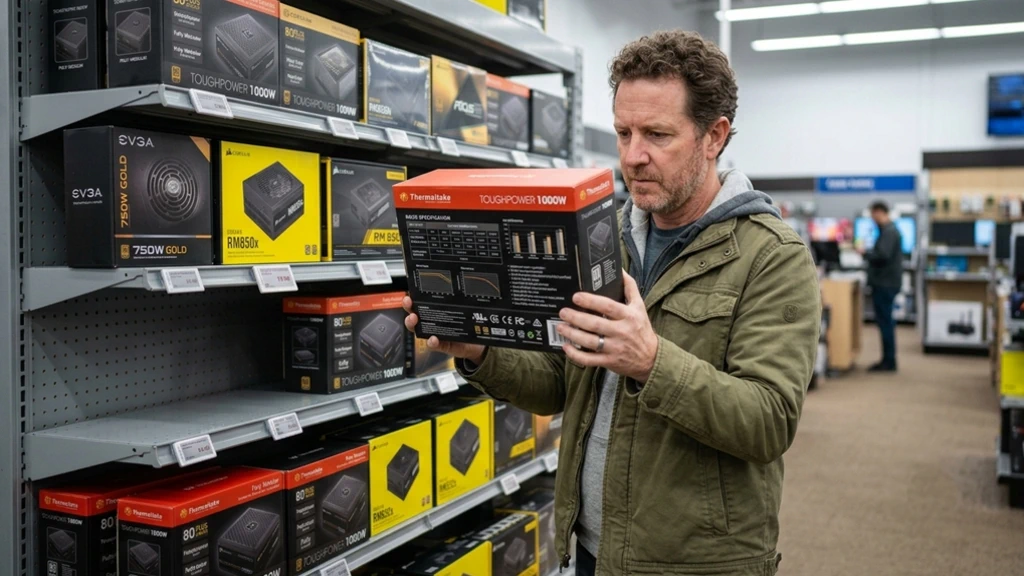 What to Look for Before Buying a PC Power Supply
There are many types of PC power supplies to choose from. Understanding power ratings, cable options, efficiencies and ATX standards will help you make the best choice for your PC project.
1. Calculate your system’s actual power draw—then add headroom
Never buy a PSU rated exactly at your system’s peak wattage. Use a tool like Seasonic’s Wattage Calculator to determine your build’s expected draw, then add 20–30% headroom. This keeps your PSU operating in its efficiency sweet spot (typically 50–80% load) and extends its lifespan.
Quick Tip: You’re usually safe if you take your GPU’s TGP (Total Graphics Power) and add 100 watts to it. This is the minimum PSU you’ll need.
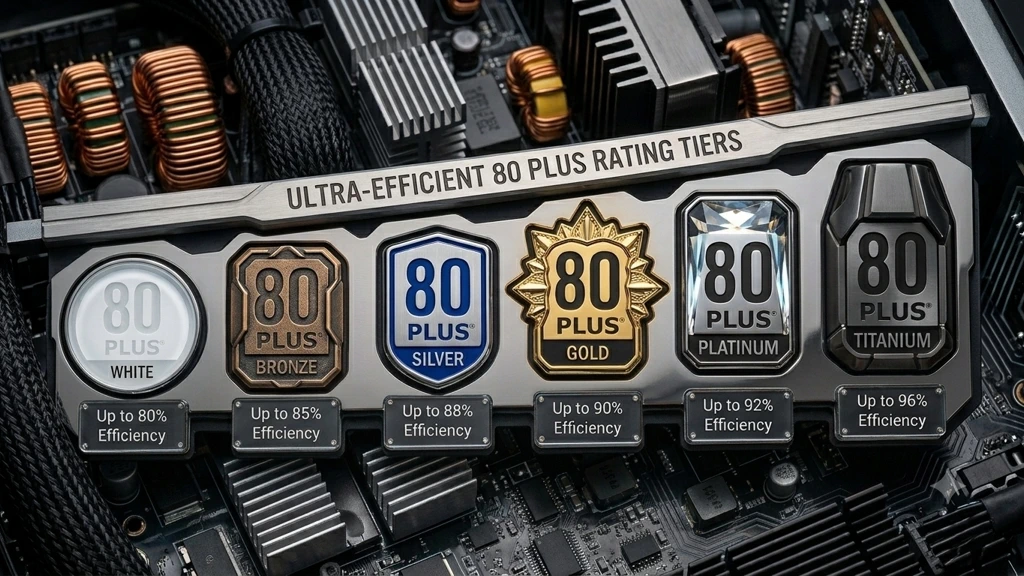
2. What do those 80 Plus efficiency ratings mean?
The 80 Plus certification program grades PSUs by efficiency at 20%, 50%, and 100% load:
| Certification | 20% Load | 50% Load | 100% Load |
| 80 Plus White | 80% | 80% | 80% |
| 80 Plus Bronze | 82% | 85% | 82% |
| 80 Plus Silver | 85% | 88% | 85% |
| 80 Plus Gold | 87% | 90% | 87% |
| 80 Plus Platinum | 90% | 92% | 89% |
| 80 Plus Titanium | 92% | 96% | 90% |
While there are three tiers below Gold, a Gold-tier PSU is the minimum I recommend for any serious build. Platinum and Titanium make more sense in systems that run 24/7, such as workstations or mining rigs. Or, if you have the budget and want the best!
You’ll likely find these percentages vary across different sources, but usually by only 1-2%.
3. Check for ATX 3.1 and PCIe 5.1 compliance if you’re using a current-gen GPU
Nvidia’s RTX 40 and 50 series and AMD’s RX 7900 series can produce power spikes up to 3x their rated TDP for very brief periods. ATX 3.1-compliant PSUs are specifically designed to handle these transient loads without triggering OCP (Over Current Protection) shutdowns. If you’re running an RTX 4080 or higher, ATX 3.1 compliance is recommended.
The ATX 3.1 standard was released to fix connector reliability issues found in the 3.0 standard. However, some still report continued issues even with this latest standard.
4. Don’t ignore the OEM behind the brand
Many PSU brands don’t manufacture their own units. Corsair, EVGA (now discontinued), and others have used platforms from Seasonic, CWT (Channel Well Technology), and Super Flower. Knowing the OEM helps predict quality.
5. Modularity matters for cable management
Fully modular PSUs let you connect only the cables your build needs, improving airflow and aesthetics. Semi-modular units include fixed 24-pin ATX and EPS cables. Non-modular units are cost-effective but messy. Keep this in mind when choosing a PC case. For any mid-tower build or smaller, fully modular is worth the small price premium.
Our “Best for” Use Recommendations
| PSU | Wattage | Certification | Form Factor | Best For |
| Seasonic Vertex PX-1200 | 1200W | 80+ Platinum | ATX 3.1 | Extreme Enthusiast & AI Workstations |
| Corsair RM1000x | 1000W | 80+ Gold | ATX 3.1 | Current-gen GPUs & Standard ATX Cases |
| be quiet! Dark Power 13 | 1000W | 80+ Titanium | ATX 3.1 | Silent Operation Rigs |
| Corsair RM850x | 850W | 80+ Gold | ATX 3.1 | Mid-to-High Range Builds |
| Corsair SF750 | 750W | 80+ Platinum | SFX | Compact SFF & ITX Builds |
Seasonic Vertex PX-1200
Why it made the list: The Seasonic Vertex PX-1200 offers a price-to-performance sweet spot over the Seasonic Prime series for ultra-high-end builds. It builds on Seasonic’s manufacturing quality while fully supporting the ATX 3.1 architecture. It delivers flagship-tier electrical performance, ultra-low ripple noise, and pristine power delivery at a significantly more reasonable price point than the Prime platform.
Key Specs:
- Wattage: 1200W
- Certification: 80 Plus Platinum (and Cybenetics Platinum)
- Modularity: Fully Modular
- Fan: 135mm Fluid Dynamic Bearing (FDB)
- Warranty: 12 years
- ATX Version: ATX 3.1 & PCIe 5.1 compliant
Performance Data: At 50% load, the PX-1200 delivers roughly 93–94% efficiency, exceeding standard Platinum targets. Seasonic’s digital load regulation maintains tight voltage stability under severe dynamic load shifts. Transient response handling cleanly meets ATX 3.1 requirements, and ripple on the +12V rail remains strictly suppressed below 15mV, ensuring exceptionally clean current during sudden GPU power spikes.
Pros:
- Industry-leading voltage stability and pristine ripple suppression
- Native ATX 3.1 and PCIe 5.1 compliance with native 12V-2×6 high-power cables
- 12-year warranty backed by Seasonic’s top-tier customer support
- Noticeably better value per watt than the Prime TX series
Cons:
- Still a high financial investment ($280–$320 USD)
- Longer chassis body than standard entry-level ATX PSUs
- Excessive wattage headroom for standard single-GPU gaming rigs
Best for: High-end enthusiast rigs, overclocked flagship GPUs, multi-GPU workstation builds, and AI workloads requiring flawless power stability and long-term endurance.
What to know: It includes Seasonic’s high-grade embossed cables out of the box, making custom cable extensions unnecessary for most clean builds.
Corsair RM1000x (ATX 3.1)
Why it made the list: While the RM1000x SHIFT introduced clever side-mounted ports, it required specific case clearance behind the motherboard tray. This design limited installation with several case designs. The refreshed RM1000x (ATX 3.1) delivers the same high-performing platform with traditional rear-facing modular ports, making it compatible with standard ATX cases while updating the spec to full ATX 3.1.
Key Specs:
- Wattage: 1000W
- Certification: 80 Plus Gold (and Cybenetics Gold)
- Modularity: Fully Modular
- Fan: 135mm Fluid Dynamic Bearing (FDB) with manual control knob
- Warranty: 10 years
- ATX Version: ATX 3.1 & PCIe 5.1 compliant
Performance Data: Demonstrates around 91–92% efficiency at 50% load, easily meeting 80 Plus Gold parameters. It comfortably handles 200% transient power excursions required by ATX 3.1 specs. The 135mm fan remains stationary at low to medium workloads (~400W and below), maintaining near-silent acoustic output under standard daily usage.
Pros:
- Universal case fitment without side-panel depth restrictions
- Native 12V-2×6 GPU connector cable included
- Manual fan speed control dial on the rear panel for custom thermal tuning
- Flexible, soft embossed individual cabling out of the box
Cons:
- 80 Plus Gold rating rather than Platinum or Titanium (although still a good choice)
- Slightly stiffer cable routing near the main motherboard connectors
Best for: Modern high-performance gaming PCs featuring high-draw graphics cards where traditional rear cable management and universal case compatibility are required.
What to know: This model includes a physical fan-override knob on the back panel, allowing you to turn off Zero-RPM mode if you prefer constant airflow over complete silence.
be quiet! Dark Power 13 1000W
Why it made the list: be quiet! maintains its benchmark position for builders who refuse to compromise between ultra-low acoustic output and top-tier Titanium efficiency. The Dark Power 13 combines a frameless Silent Wings fan design with native ATX 3.1 architecture, delivering pure power with virtually no audible noise.
Key Specs:
- Wattage: 1000W
- Certification: 80 Plus Titanium (and Cybenetics Titanium)
- Modularity: Fully Modular
- Fan: 135mm Silent Wings frameless fan
- Warranty: 10 years
- ATX Version: ATX 3.1 & PCIe 5.0 compliant
Performance Data: Reaches peak efficiency of up to 95.4% at half-load, minimizing wasted energy as heat. Third-party acoustic tests record noise levels below 20 dBA up to 80% load—effectively inaudible inside a closed PC case. Cross-load voltage regulation remains within ±0.8% across primary power rails.
Pros:
- Virtually silent fan curve across light, medium, and heavy loads
- Top-tier 80 Plus Titanium efficiency ratings
- Overclocking (OC) key feature converts multi-rail +12V configuration to single-rail
- Includes fully sleeved premium cable set
Cons:
- High price point ($250–$280 USD)
- The physical OC key jumper bracket is unnecessary for non-extreme overclockers
- Fixed mesh intake grill can make internal dusting slightly tricky
Best for: Ultra-quiet enthusiast builds, recording studio PCs, home theater workstations, and low-noise environments prioritizing acoustics alongside Titanium efficiency.
What to know: The included Overclocking Key lets you manually toggle the PSU between multi-rail and single-rail +12V modes, depending on your preference for protection thresholds vs. extreme load distribution.
Corsair RM850x (ATX 3.1)
Why it made the list: I am (or was) a die-hard EVGA fan! So, with their exit from the industry, I now recommend the RM850x as the new sweet spot PSU option that the old legacy EVGA SuperNOVA 850 G6 once held. In my opinion, this is the new standard for mainstream gaming builds. It adds full ATX 3.1 protection, 12V-2×6 native cabling, and modern transient load management.
Key Specs:
- Wattage: 850W
- Certification: 80 Plus Gold (and Cybenetics Gold)
- Modularity: Fully Modular
- Fan: 135mm Fluid Dynamic Bearing (FDB)
- Warranty: 10 years
- ATX Version: ATX 3.1 & PCIe 5.1 compliant
Performance Data: Delivers 90–92% efficiency at typical loads. Ripple suppression on the +12V rail is tightly controlled to be under 20 mV during heavy-load tests. The fan profile uses a zero-RPM curve, remaining completely stopped until total power draw exceeds approximately 340W.
Pros:
- Full native ATX 3.1 compliance with included 12V-2×6 power connector
- Excellent transient spike handling without tripping premature safety cutoffs
- Quiet operation supported by a fluid dynamic bearing fan and Zero-RPM mode
- Backed by an active 10-year global warranty and support network
Cons:
- More expensive than older budget-oriented 850W Gold units
- Slightly larger footprint than compact 140mm ATX power supplies
Best for: Upper-mid-range to high-end gaming builds running modern single-GPU setups up to the RTX 5080 (and older 4070/4080 variants).
What to know: Make sure you buy the updated revision featuring ATX 3.1 print on the box to make sure you’re getting the native 12V-2×6 cable rather than older adapters.
Corsair SF750 (ATX 3.1)
Why it made the list: The SF750 is considered by many builders as the king of small-form-factor (SFF) power supplies, now with native ATX 3.0/3.1 support. This refreshed SF750 still brings 750W of power density in a true SFX frame, Platinum efficiency, and native Type-5 Micro-Fit 12V-2×6 cables designed specifically for tight SFF enclosures.
Key Specs:
- Wattage: 750W
- Certification: 80 Plus Platinum (and Cybenetics Platinum)
- Modularity: Fully Modular (Type-5 Micro-Fit)
- Fan: 92mm PWM Fluid Dynamic Bearing
- Warranty: 7 years
- ATX Version: ATX 3.1 (SFX spec) & PCIe 5.1 compliant
Performance Data: Achieves ~92% efficiency at 50% load within a tiny footprint. The transient response easily accommodates power spikes up to twice its rated capacity. Noise output averages 20–25 dBA at light-to-medium loads, ramping up smoothly to around 30–34 dBA only when pushed toward continuous max wattage.
Pros:
- Exceptional power density in a true SFX size constraint
- Native 12V-2×6 GPU support using flexible Type-5 micro-connectors
- Platinum efficiency reduces internal thermal buildup in small cases
- Includes soft, individually sleeved cables for easier routing in tight spaces
Cons:
- 92mm fan runs inherently louder under sustained full load than 135mm ATX fans
- 7-year warranty is shorter than full-sized flagship ATX models
- Commanding price premium ($160-$200 USD)
Best for: Small Form Factor (SFF), ITX, and compact micro-ATX builds pairing power-dense components with limited internal clearance.
What to know: Uses Corsair’s smaller Type-5 Micro-Fit modular cables; standard Type-4 ATX modular cables from older Corsair power supplies are not physically compatible.
Which PSU is Best for Your Build
Choosing the wrong (i.e., cheap) Power Supply (PSU) is a tax you may end up paying twice… once at purchase and once when it fails, taking components with it. Matching a PSU to your actual build requirements isn’t hard, but it does require careful consideration. This is the one component you DO NOT want to compromise on.
Budget builders and mid-range systems:
(RTX 5060 Ti / RX 7700 XT and below): A Gold-certified unit between 650W and 750W from a reputable brand covers the vast majority of use cases. The Corsair RM850x provides one of the best bang-for-the-buck options and leaves you with some power to spare.
High-end gaming builds:
(RTX 5080 / RX 7900 XTX): Step up to at least 1000W with Gold efficiency. ATX 3.1 compliance is important here. The Corsair RM1000x is a good fit for this tier.
Enthusiast and workstation builds:
(RTX 5090 / dual-GPU workstations / heavy overclocking): Budget 1000W minimum. Titanium efficiency and ATX 3.1 compliance are worth the premium at this tier. Both the Seasonic Vertex PX-1200 and the be quiet! Dark Power 13 1000W both deliver peace-of-mind performance.
Compact ITX builders:
The Corsair SF750 remains the gold standard for high-performance SFX builds. Consider the thermal limitations of your case and don’t push an ITX system to the absolute limits of a 750W SFX unit without carefully considering cooling options.
The PSU market rewards patience. Prices fluctuate, new ATX 3.1 units continue to launch, and deals surface often. Set a reasonable budget, identify your actual wattage needs, and pick a PSU with a long warranty from a manufacturer that will honor it.
Frequently Asked Questions About PC Power Supplies
How much wattage do I need for a Gaming PC build?
Calculate your system’s total power draw using PCPartPicker or a dedicated PSU calculator, then add 20–30% headroom. A mid-range system with a Core Ultra 5 or Ryzen 7 CPU and an RTX 5070 typically draws 350–400W under load, making a 650W Gold unit the sensible minimum. High-end builds with an RTX 4090 and above can spike above 600W GPU-only, requiring 1000W or more at the system level.
Is 80 Plus Gold good enough, or should I get Platinum?
80 Plus Gold is sufficient for most gaming builds. Platinum and Titanium certifications make financial sense in systems that run 24/7—workstations, servers, mining rigs—where the efficiency difference translates to meaningful electricity savings over time. For a gaming PC that runs for 4–6 hours daily, consider Platinum only for its efficient, higher-quality components if within your budget.
Do I need an ATX 3.1 PSU for an RTX 5000-series GPU?
ATX 3.1 compliance is strongly recommended for RTX 5080 and RTX 5090 GPUs and should be considered for the RTX 5070 Ti. These GPUs can spike power consumption up to 3x their rated TDP in very short bursts. Non-ATX 3.1 PSUs may trigger OCP shutdowns or cause voltage drops during these spikes. Using an ATX 3.1 PSU eliminates this risk.
What’s the difference between semi-modular and fully modular PSUs?
Fully modular PSUs allow every cable—including the 24-pin ATX motherboard connector—to be detached. Semi-modular units include fixed 24-pin ATX and CPU EPS cables, with peripheral cables remaining detachable. Fully modular units offer cleaner cable management but cost slightly more. For mid-tower and larger builds, fully modular is worth the premium.
How long should a quality computer PSU last?
A quality PSU from a reputable manufacturer should last 7–12 years under normal use. Warranty length is a consideration: Seasonic’s 12-year warranty on the Seasonic Vertex PX-1200 and Corsair’s 10-year warranty on the RM1000x reflect genuine confidence in component longevity. Units with 3-year warranties often use lower-grade capacitors with shorter rated lifespans.
Can a PSU damage other components if it fails?
Yes. A failing PSU can deliver unregulated voltage spikes that permanently damage CPUs, GPUs, motherboards, and storage drives. This is why buying from reputable manufacturers with proven OVP (Over Voltage Protection) and OCP (Over Current Protection) circuitry matters. A quality PSU is cheap insurance for thousands of dollars’ worth of components.